 68aa7fff5d
* Setup GMX v2

* Add get markets

* Map token with service

* Add get market info data

* Add get markets

* Add get market token prices

* Get markets infos multicall

* Try call datastore

* Add some tests to figure out why datastore call dont work

* Update funding rates

* clean
2.3 KiB
2.3 KiB
How to launch the App
Requirements
- NET .Core framework
- MongoDb
- Node.JS
- Discord server with API keys
- Alchemy Keys
First setup
Generate dev certificate
dotnet dev-certs https -ep \.aspnet\https\aspnetapp.pfx -p passworddotnet dev-certs https --trust
Setup docker
- Update
apps\src\Managing.Api\appsettings.MYNAME.jsonwith your configuration settings - Update
apps\src\Managing.Api.Workers\appsettings.MYNAME.jsonwith your configuration settings - Then execute from the root of the project :
.\scripts\docker-deploy-sandbox.cmd - At this point, only Managing.Api.Workers should be NOT running. It because we didn't create an account.
Setup an account
-
cd src/Managing.WebApp -
npm run dev -
Go to front-end app
http://localhost:3000/ -
If request end up with a 500 error, you should open the url of the container and validate the certificate.
-
Connect your ETH account
-
Setup a username for your account
-
On Account page : Create an EVM account for trading (Not necessary if you don't want to trade)
Setup InfluxDb
- Go to http://localhost:8086/
- Then initialize InfluxDb

- Go to api keys

- Create an apikey and update the
apps\src\Managing.Api.Workers\appsettings.MYNAME.jsonfile with the api key

- Then redeploy by executing :
.\scripts\docker-deploy-sandbox.cmd - Check influxdb > buckets > prices-bucket > if there is data

- Verify the logs of the Workers container to see if candles are well inserted
- It may take some time to see the candles in the front-end
Setup default strategies, scenario and money management
- Go to Managing.Api swagger
https://localhost/index.html - Execute
POST /settings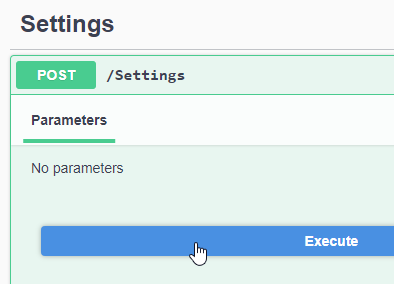

Dev
Generate Api Client
- Use NSwag
- Generate a Typescript client with Fetch template
- Deposit the file in
Managing.WebApp\src\generated\ - Generatet ABI
service
Nethereum.Generator.Console generate from-abi -abi ./DataStore/DataStore.abi -o . -ns Managing.Tools